How it works
- Playroom is pretty smart about pulling in activity details, especially when everything is written out in the caption.
- If the caption is light or missing details, Playroom will use AI to watch the video and pull out the extra details it needs to fill in the gaps. Easy.
- 1
Find any Instagram post or Reel you want to import and tap the "Share" button.

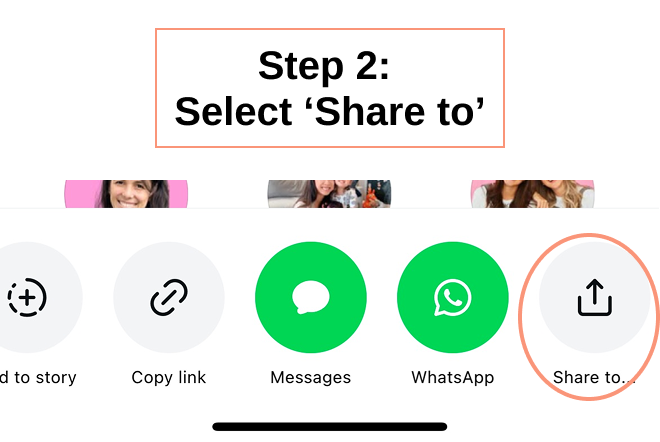
- 2
Tap "Share to" at the bottom.
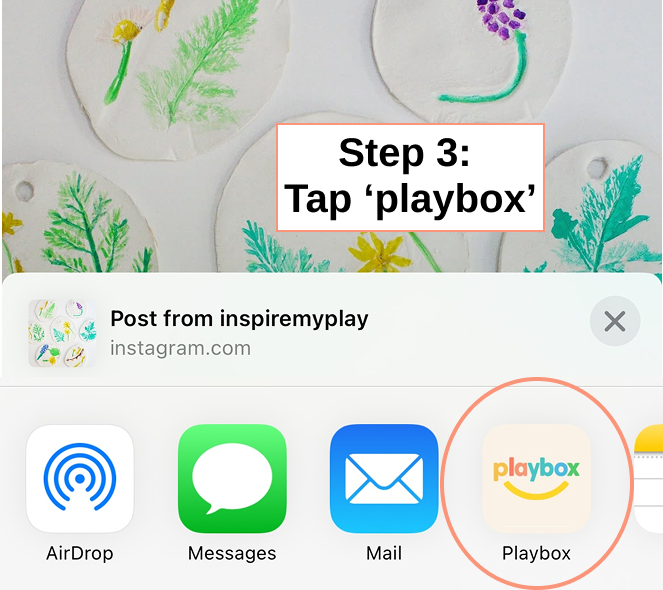
- 3
Choose "Playroom" from the list. If you don't see it yet, you can add Playroom to your share options in your phone's settings. Once it's set up, saving activities is just a tap or two.